
XP
0 xp
Level 1
Powered by Arbiteria
Operations coordinator assessing an urgent Finance email

Level 1 Β· First contact

Mission Briefing: The message that fits too well

Maya supports vendor payments and routinely receives invoices from Finance. A polished email says a supplier’s bank details changed and asks her to open a secure review link before the 4:00 p.m. cutoff. Phishing is not defined by bad spelling; it is a fraudulent message engineered to make a trusted-looking request feel routine, urgent, or both. Your mission is to protect the payment and the account by judging evidence before convenience.

Open each evidence strip before moving on.

Powered by Arbiteria

Route protocol

Your rule of engagement

Verified phone directory, bookmarked portal, and report queue

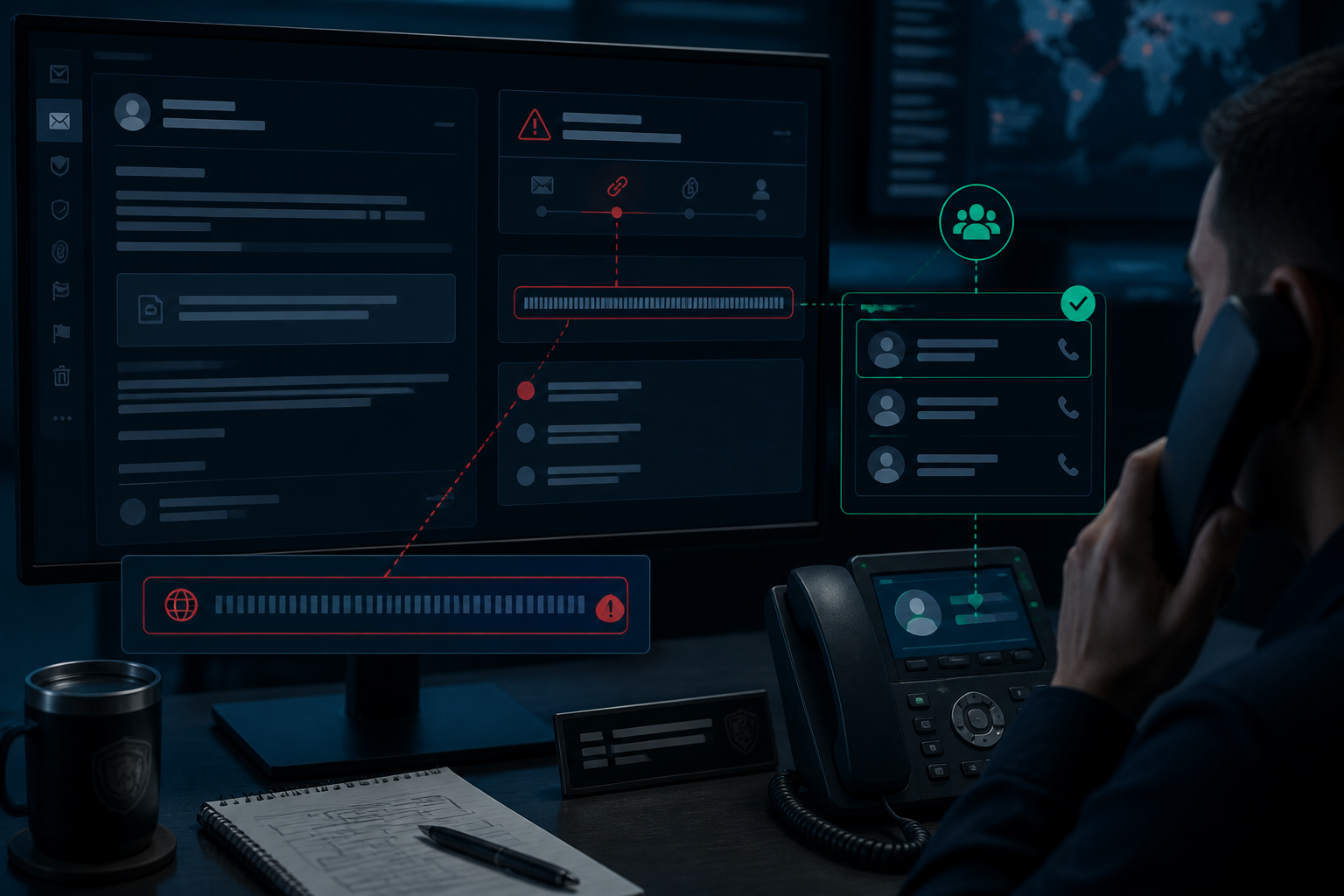
Separate what the message claims from what you can independently confirm. A familiar logo, a real colleague’s name, and a plausible business process can all be copied or impersonated. Instead of replying, calling the number in the email, or opening its link, use a known directory, bookmarked vendor portal, or established Finance contact. Reporting quickly matters because people often act within seconds but take far longer to alert security.

Build the protocol.
Powered by Arbiteria
Suspicious vendor payment email and verified internal directory

Decision 1 Β· payment at risk

Verify the supplier change

The sender displays as Finance Operations, and the message uses the usual invoice wording. Hovering over the review button shows a long URL that begins with a vendor-like word but is not the bookmarked supplier domain Maya normally uses. The payment cutoff is close, and a delayed change could affect a shipment.

Stakes: A fraudulent bank-detail change could send a legitimate payment to an attacker.

Powered by Arbiteria
Route compromised

The sign-in page is polishedβ€”and still dangerous

The page opens with the supplier logo, a valid-looking lock icon, and a familiar Microsoft sign-in prompt. It asks Maya to authenticate before showing the invoice. Nothing on the screen forces an immediate alarm, which is exactly why the route is risky.

A private browser window limits local history; it does not validate the destination or stop a credential-harvesting proxy. If Maya signs in, an AiTM site can relay the real login and capture an active session token. The safer move begins with a known contact or bookmarked site, not a safer way to follow the lure.

Powered by Arbiteria
Route compromised

The reply keeps the attacker in control

A quick reply arrives: β€œYesβ€”please complete it now so we can release payment.” The response mirrors Finance’s tone and repeats the deadline. Maya has more words, but no new independent evidence.

Replying confirms that the mailbox is active and leaves the attacker controlling both sides of the supposed verification. A plausible answer cannot authenticate a compromised or spoofed account. Break the loop by using a phone number or internal contact obtained elsewhere.

Powered by Arbiteria
βœ“ Good call

The payment is paused before it moves

The Finance controller confirms there is no approved supplier-bank change and asks Maya to forward the message as a suspected phish. The shipment is protected, but the email may have reached other staffβ€”so the incident response begins.

Powered by Arbiteria
Level 2
Level 2: The hidden route

The payment is safe; now prevent a polished lure from becoming an account takeover.

Powered by Arbiteria
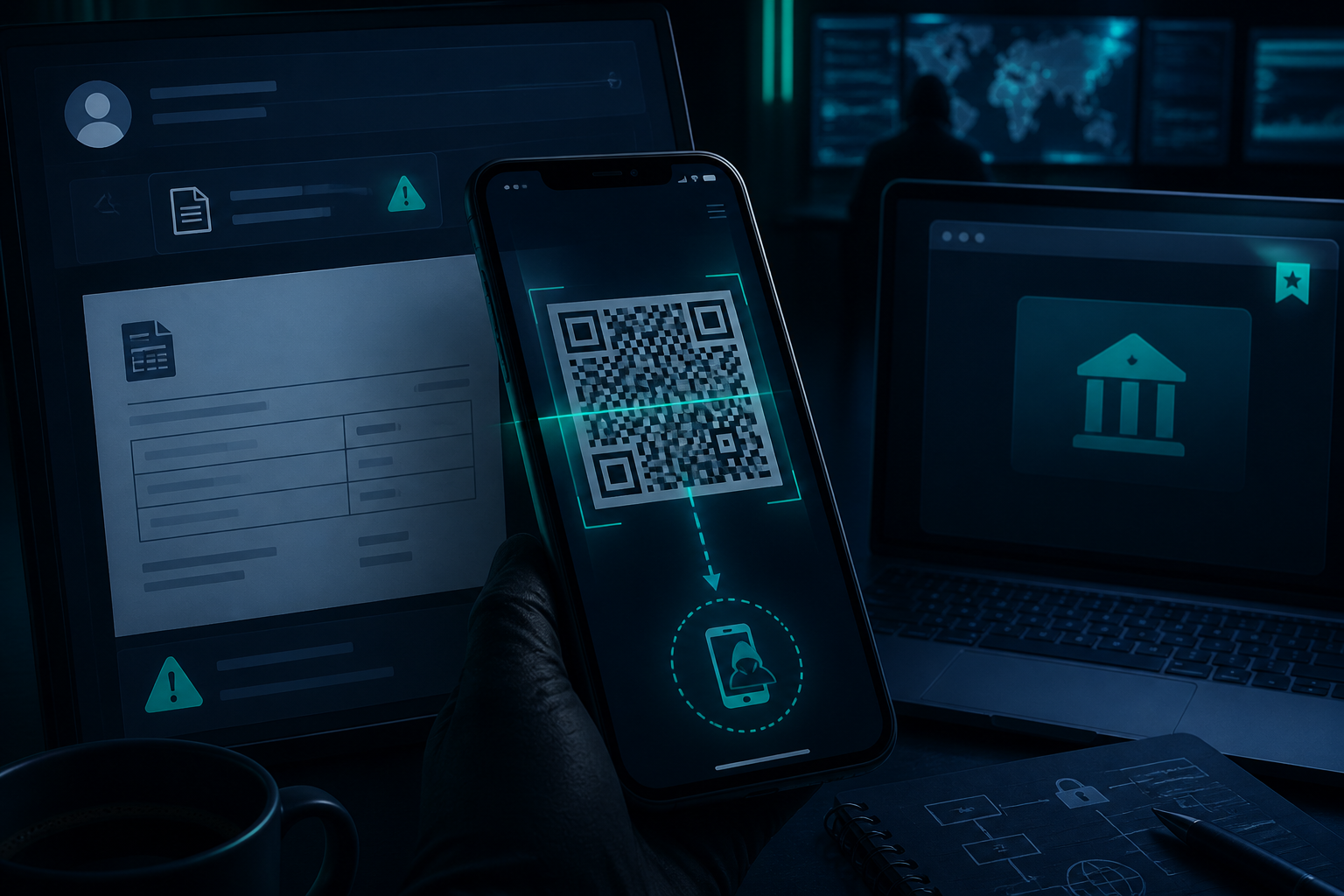
Phone camera over QR code beside bookmarked vendor portal

Decision 2 Β· hidden route

Handle the QR login

Security asks Maya to inspect the message without clicking it. Near the bottom is a QR code labeled Secure invoice viewerβ€”mobile required. A colleague says scanning it on a phone is harmless because the email filter did not block it.

Stakes: Scanning could move the attack to a less protected mobile browser and expose a cloud login.

Powered by Arbiteria
Hidden route activated

The code moves the lure to Maya’s phone

The scan opens a clean mobile sign-in screen that says the invoice viewer session expired. Because the destination is now in the phone browser, the original email’s warning signs are out of view. A moment of curiosity has created a new attack surface.

Quishing relies on the code to hide the URL and can bypass email-focused controls by sending the user to mobile. β€œI will only look” still gives the attacker an opening to present a login, download, or redirect. Report the code and use an independently known service address instead.

Powered by Arbiteria
Exposure widened

A test device becomes a new target

The colleague scans the screenshot from a personal phone and sees the same convincing login page. Now two people are engaged with the lure, and the security team has not received the original message or headers. The test has broadened exposure instead of containing it.

A device does not need corporate data to be useful to an attacker; it can still yield credentials, MFA prompts, or a foothold for further persuasion. Evidence should go to the reporting process, not to an informal experiment.

Powered by Arbiteria
βœ“ Good call

The QR lure is contained, not tested

Maya reports the original message and reaches the supplier through the bookmarked portal, where no invoice change exists. Security tags the QR code as a quishing attempt and checks whether anyone else scanned it.

Powered by Arbiteria
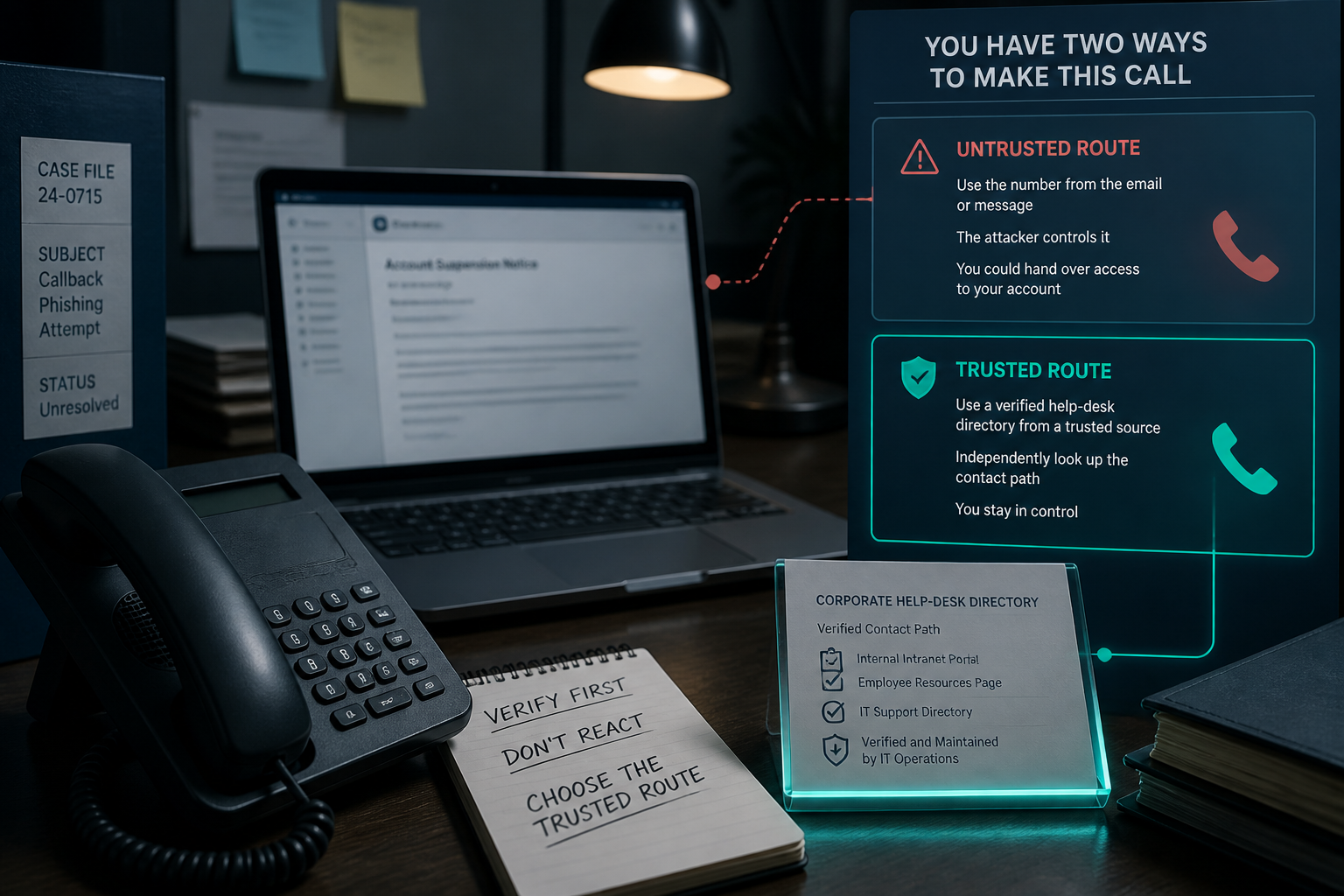
Desk phone and phishing email beside verified help desk directory

Decision 3 Β· voice route

Resist the callback lure

Maya receives an email claiming her Microsoft account will be suspended because of the invoice incident. It says not to reply and lists a toll-free Account Recovery Desk number. Maya needs help before vendor calls begin.

Stakes: A callback scam can pressure Maya into sharing codes or installing remote-access tools.

Powered by Arbiteria
Authentication factor at risk

The caller asks for the β€œsafe” piece

The caller says they do not need Maya’s passwordβ€”only the one-time code from her authenticator to cancel the suspension. They use technical language and keep the call moving. The request feels like support because it is spoken, not typed.

One-time codes and approval prompts are authentication factors, not harmless confirmation details. Callback phishing succeeds by turning urgency into a conversation where the attacker can adapt to hesitation. Stop the call and contact support through a number or portal you already trust.

Powered by Arbiteria
Social proof exploited

The scam gains a second audience

Maya’s manager calls and receives the same scripted assurance, then relays it as a reasonable next step. The attacker has converted hierarchy and helpfulness into credibility. Maya still has no evidence that she reached her organization’s support team.

Another person repeating an unverified claim is not verification; it can amplify the social proof the attacker wants. The reliable check is the source of the contact information, not the seniority of the caller.

Powered by Arbiteria
βœ“ Good call

The support route confirms the account is fine

The published help desk confirms there is no suspension notice and logs the email as a callback-phishing attempt. Maya now knows that a message can be malicious even when it never asks her to click.

Powered by Arbiteria
Level 3
Level 3: Contain the breach

A teammate may already have signed in; choose actions that protect the active session and speed investigation.

Powered by Arbiteria
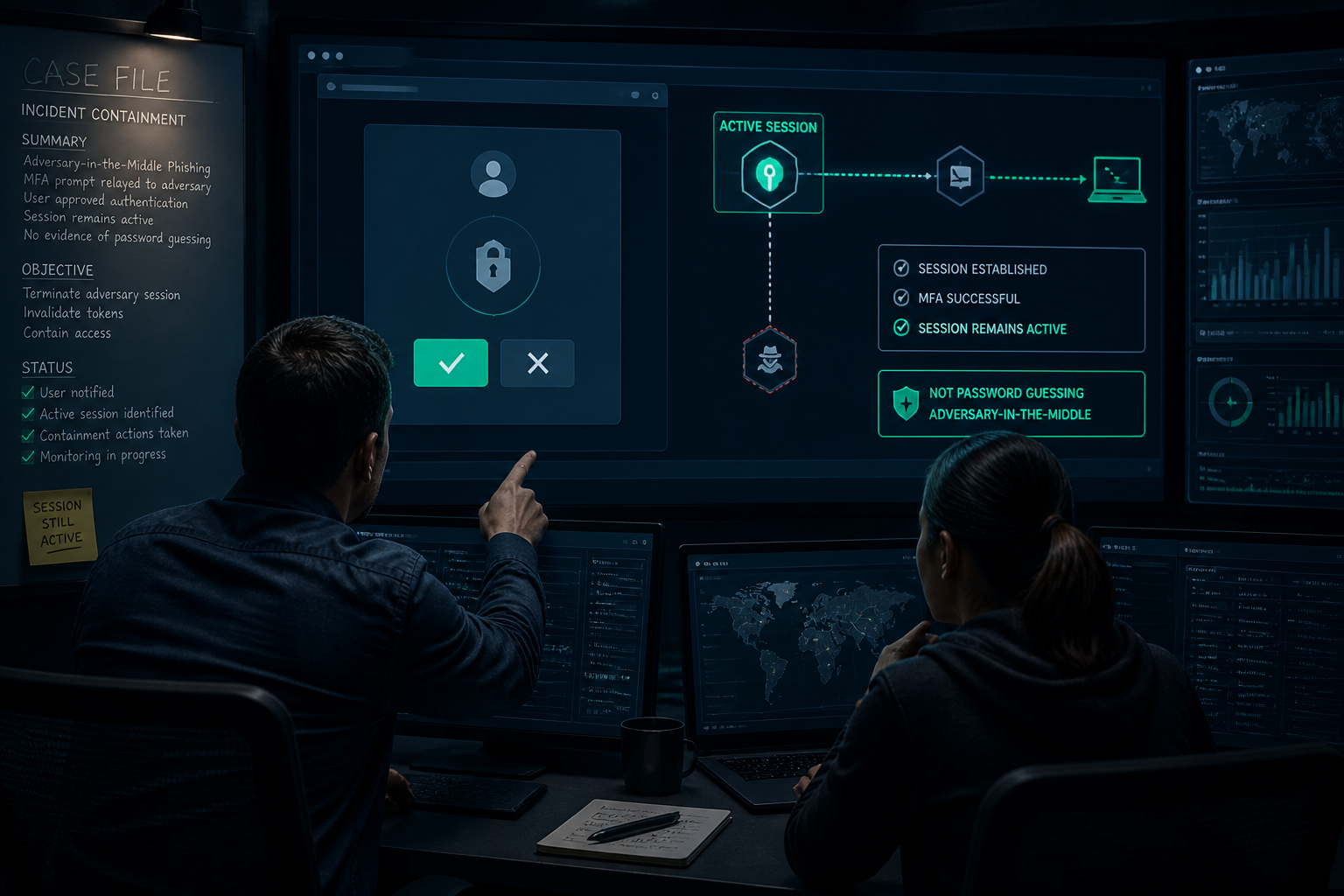
Incident analyst reviewing MFA prompt and active session alert

Decision 4 Β· active session

Respond to AiTM exposure

Leo scanned the QR code, entered his work credentials, and approved an MFA prompt. He thinks MFA makes the account safe, but a proxy may have captured the active session token.

Stakes: Waiting can leave an attacker’s authenticated session active in email and cloud services.

Powered by Arbiteria
Session remains active

The password changes; the session remains

Leo changes his password later that afternoon, but Security sees mailbox rules created from a session that began before the reset. The attacker did not need to guess the new password to use the already captured session. The delay has made the investigation harder.

AiTM kits can proxy a legitimate login and take the authenticated session token after MFA is approved. MFA remains valuable, but it is not a complete response to a suspected proxy page. Incident handlers need the report quickly so they can revoke sessions and examine activity.

Powered by Arbiteria
Proxy gets another chance

The second prompt gives the proxy another chance

Leo approves the new prompt and the fake page reports success again. Security still cannot tell whether the attacker’s proxy session was active, while the attacker has another valid event to relay. The test has repeated the risky behavior rather than isolated it.

MFA prompts prove that an authentication action occurred, not that the page requesting it was legitimate. In a suspected compromise, stop interacting with the lure and move to the incident process.

Powered by Arbiteria
βœ“ Good call

The response cuts off the active route

Leo reports immediately, and IT revokes sessions, resets access, and reviews recent mailbox and cloud activity. The team has turned a near miss into actionable evidence instead of waiting for a larger breach.

Advance every containment action.
Powered by Arbiteria

Question 1

Challenge: A project-management app sends you a chat alert saying a document needs approval. Its button opens an unfamiliar sign-in domain. What is your strongest next move?
Powered by Arbiteria
Resolved incident command scene with teammates and protected payment workflow

Mission complete

Mission complete: protect the route, not the appearance

Maya’s team prevented a fraudulent payment, contained a QR-based lure, avoided a callback scam, and escalated a possible AiTM compromise. The common move was not finding a typo; it was refusing to trust attacker-supplied routes. In every case, the safer path was pause, independently verify, report, and follow incident guidance if interaction occurred.

Assemble the field rule.
Powered by Arbiteria

Synthesis

Your field rule: verify the route

Phishing can arrive as a targeted email, a QR code, or a phone number that invites a callback. Polished language, copied branding, and even an MFA prompt are signals to investigateβ€”not evidence of safety. Treat unsolicited links, codes, phone numbers, and credential requests as untrusted routes; use known contacts and portals, then report suspicious messages early. That habit protects both the first person targeted and everyone who might receive the same campaign.

Reveal every route rule.
Powered by Arbiteria

Your Incident Command Debrief

Review the routes you trusted, the consequences you avoided, and the verification habit to carry into your next message.

Powered by Arbiteria
Mission Complete
0%

of decisions handled correctly on the first try

Powered by Arbiteria
Level Complete